Local-first personal
finance for macOS.
Track accounts, transactions, budgets and investments privately — with no cloud, no account, and no subscription required.
Everything you need
All your finances, one place.
Qelvia covers every corner of your financial life — accounts, spending, budgets, recurring bills, and investments — with nothing sent off your device.
-
Accounts
Track checking, savings, credit card and investment accounts in one place.
-
Transactions
Log income and expenses with auto-categorisation based on payee history.
-
Budgets
Set monthly spending limits per category and see progress at a glance.
-
Recurring Rules
Automate regular income and expenses — rent, salary, subscriptions.
-
Investments
Track investment portfolios with gain/loss% and deposit history.
-
Reports
12-month income vs expense table and top category breakdowns.
-
Analytics & Trends
Trend lines, 3-month projections and savings rate tracking — all computed locally on your Mac.
-
EU Bank Sync
Connect your Greek/EU bank via Open Banking. Balances sync automatically — reconnect with one click if consent expires.
-
Multi-Profile
Multiple isolated profiles on one device. Optional password protection per profile.
-
Bill Reminders
Upcoming recurring payments trigger a dismissible banner. Configure the reminder timing in Settings.
-
CSV Import & Export
Import from other apps or export your data whenever you want.
-
100% Private
No cloud, no account, no telemetry. Your data lives only on your Mac.
See it in action
Built for clarity.
A clean interface that gets out of your way and puts your finances front and centre.
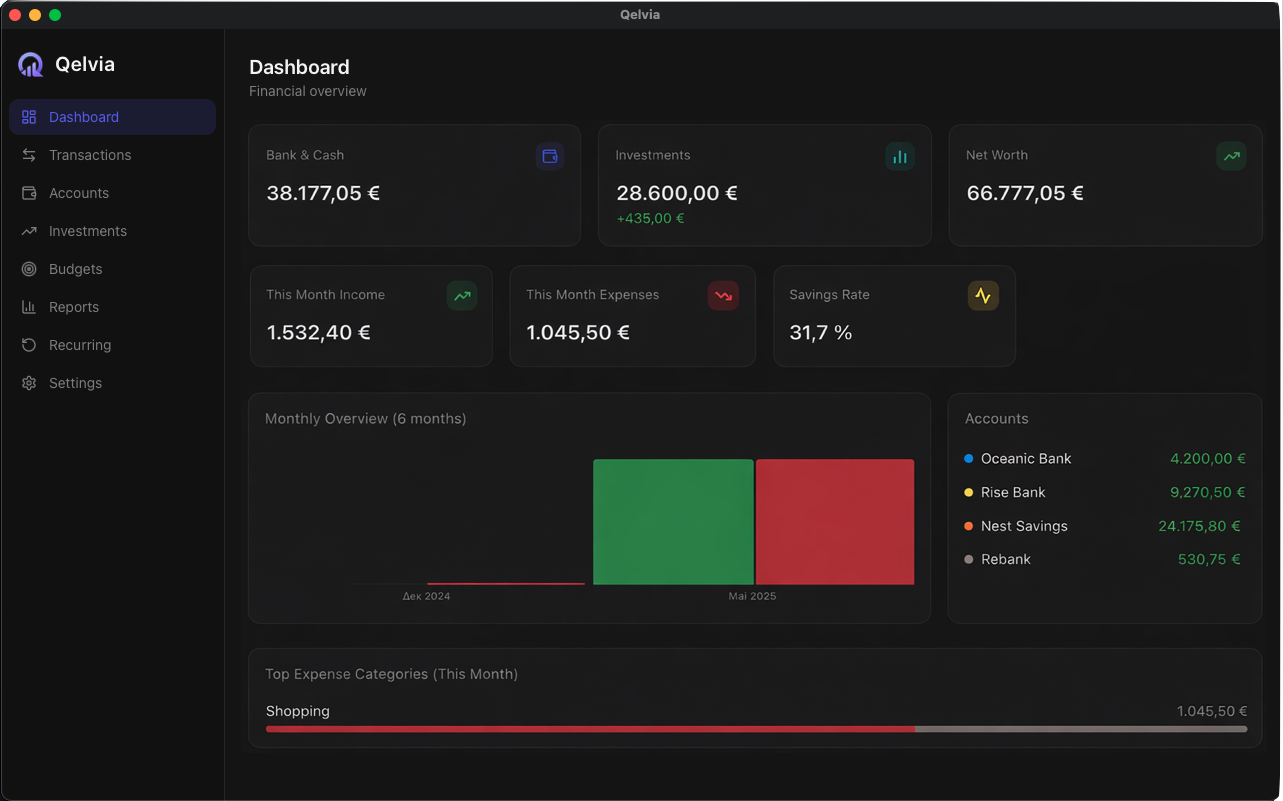
Dashboard — net worth, spending summary and account overview
Privacy by design
Your data never
leaves your Mac.
Qelvia is built offline-first from the ground up. There's no server to breach, no account to compromise, and no company holding your financial history.
Download Free-
No cloud
Data is stored in a local SQLite database on your Mac. Nothing is synced or backed up to any server.
-
No account
Download and open. No sign-up, no email, no password. Just your finances, ready immediately.
-
No telemetry
Zero analytics, zero crash reporting sent anywhere. What happens on your Mac stays on your Mac.
-
No subscription
Qelvia is free. Not free-trial, not freemium. Just free — forever.

Start managing your finances privately.
Free download. No setup. Just open and go.
Download Qelvia for macOSBuilt with Tauri · React · SQLite
If macOS says the app is “damaged”, open Terminal and run:
xattr -cr /Applications/Qelvia.app
Then try opening the app again.